

A replay-buffer clipper for Windows
Never miss the clip.
Press a key. Hear a click. The clip is on disk.
Download Clink
Portable: One file, Clink.exe. Nothing to install: run it from anywhere (Desktop, a USB stick). Settings live in %APPDATA%\Clink.
Installer: Clink-Setup.exe is a per-user installer: no admin rights needed. If the .NET 10 Desktop Runtime is missing, it offers to install it, and only that step asks for administrator approval.
Windows 10 (2004 or later) and 11, 64-bit.


Press a key. Keep the moment.
Always buffering
The last 45 seconds stay in memory. Set 5 seconds to 60 minutes.
Any game, any mode
Borderless or exclusive fullscreen, encoded on your GPU.
Every voice, every track
Game, mic and voice chat mixed, and saved as separate tracks.
Sharing is opt-in
Clips are saved on your PC first. Nothing uploads unless you say yes.
Clip it.
One hotkey, Alt+C by default. You hear a click, and the clip is on disk.

- Press the hotkey. The last stretch is saved.
- A toast confirms it. Share, Trim or open the folder.
- Your clips are listed. Click one to play it.
Trim. Share.
Cut a clip without re-encoding the video. Share it on your terms.

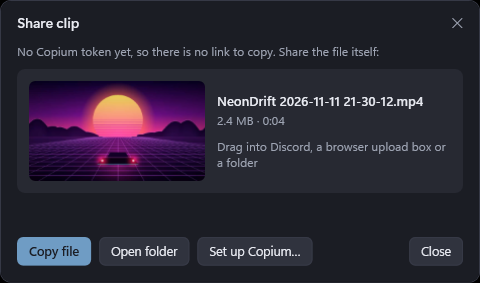
And a screenshot tool.
PrintScreen freezes the screen. Drag an area, mark it up, done.
- Drag a rectangle on any monitor, with a magnifier at the pointer.
- Enter takes the whole monitor. Esc or a right click cancels.
- Choose what happens next: save only, open the editor, or edit right on screen.
- Saved locally first. Uploaded only if you choose.
Editor tools
Select
Select, move and resize the marks you have drawn. Shortcut: V.

The real thing.
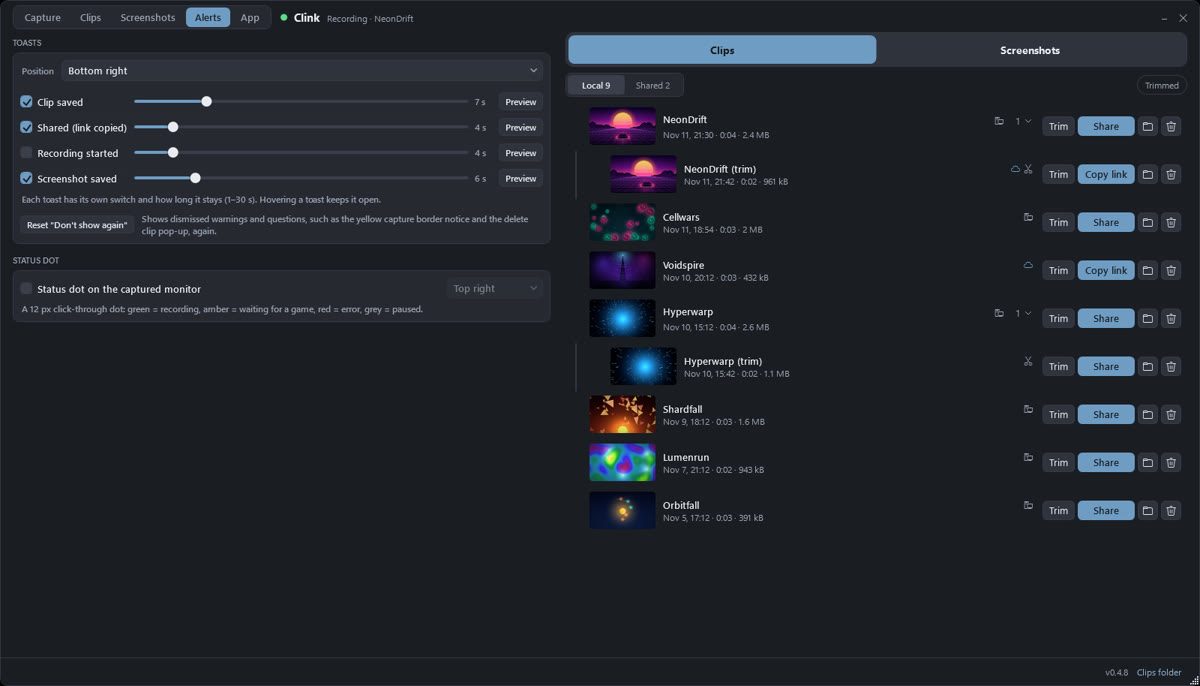
Alerts: toasts and the status dot. 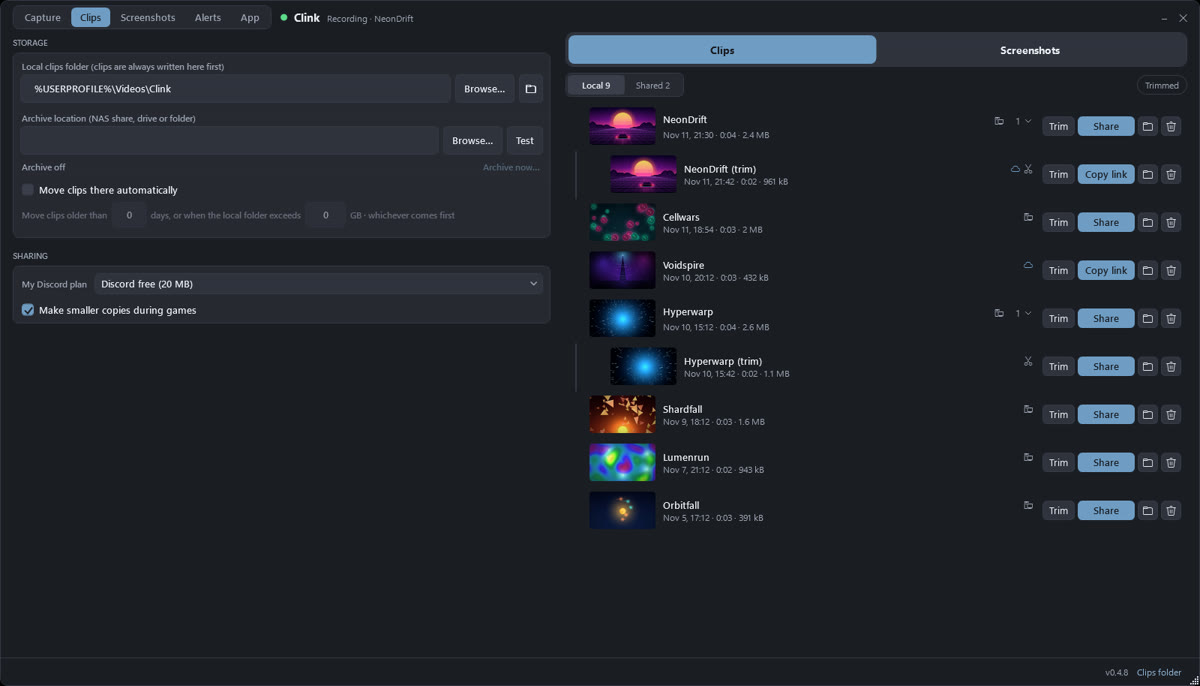
Storage and sharing settings. 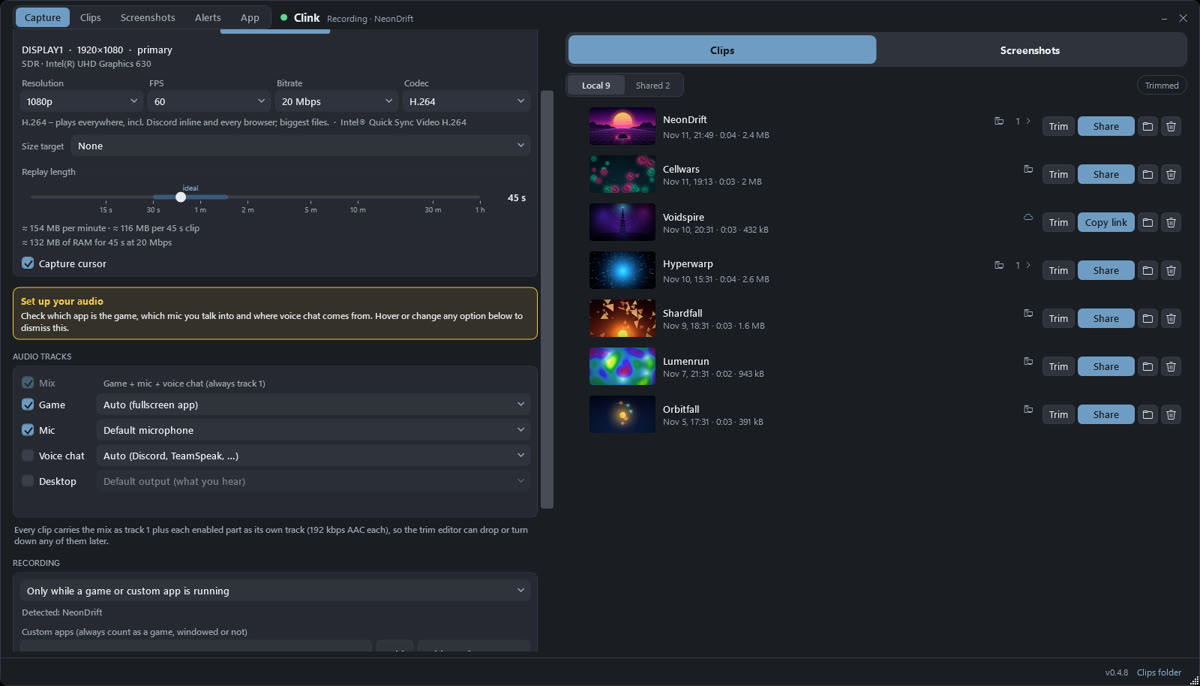
Replay length with a live size readout, and an audio source for each track. 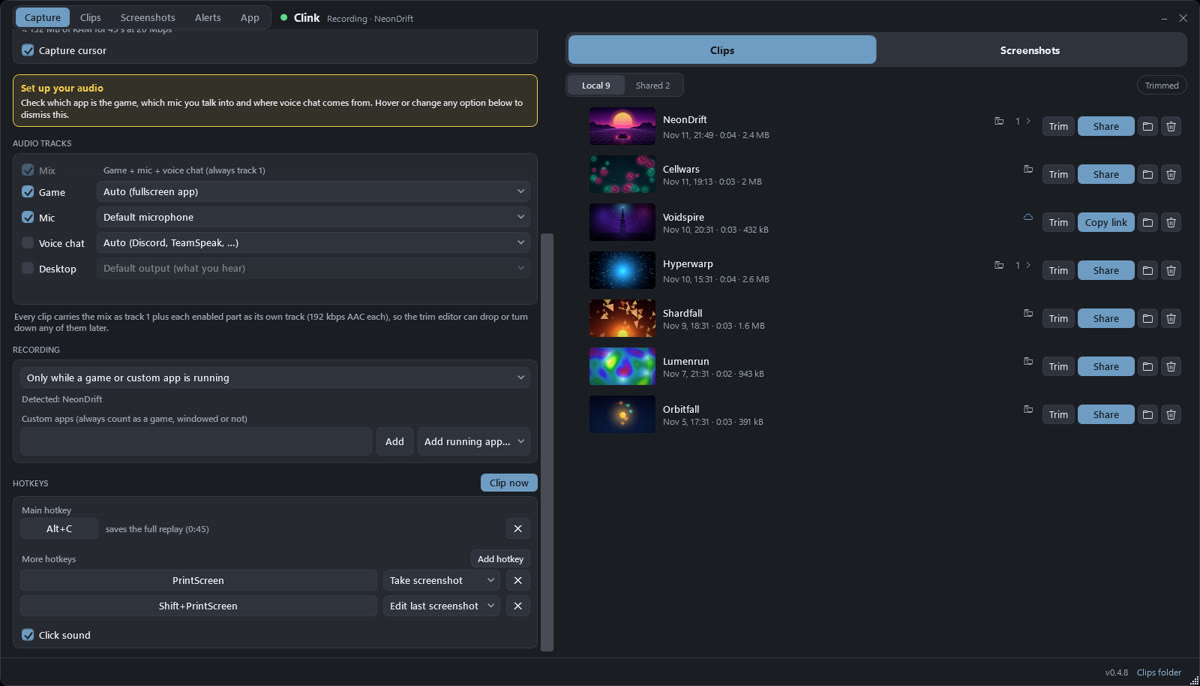
Hotkeys: as many as you like, each with its own action. 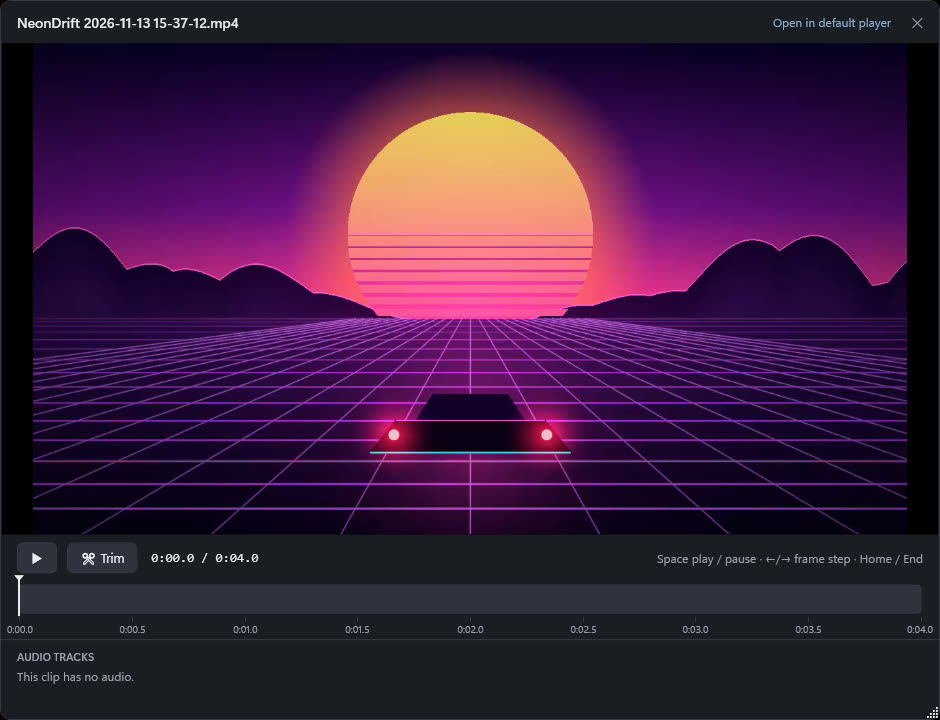
Player: a Listen pill and volume for every audio track. 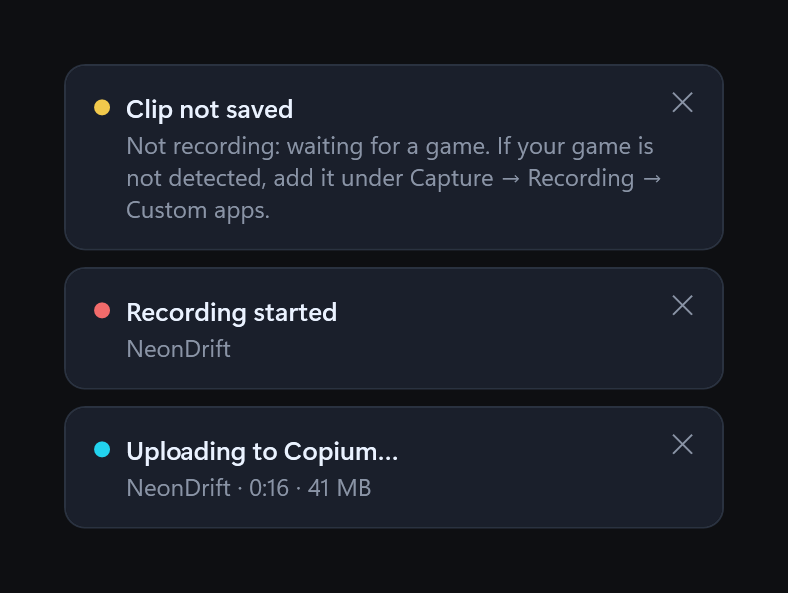
Notices away from the game: Clip not saved and why, and Uploading to Copium.


Some screenshots show an earlier color scheme.
Requirements
- Windows
- 10 (version 2004, build 19041) or later, or 11. 64-bit.
- Portable
- Clink.exe is self-contained. Put it anywhere and run it.
- Installer
- Per-user, no administrator rights. It can offer the .NET 10 Desktop Runtime if it is missing.
- GPU
- Encodes with NVENC, AMF or QuickSync.
- Files
- Clips go to Videos\Clink. Settings live in %APPDATA%\Clink.
Questions
How do I update?
Clink updates itself. Click the version number at the bottom of the window, then Check for updates, or just restart it. Settings, hotkeys and clips stay.
Which games work?
Borderless and exclusive-fullscreen games. By default Clink records only while a game runs: a fullscreen window, a known game-library folder, or your own apps list.
Alt+C is taken. Can I change it?
Yes. Pick other keys under Capture, then Hotkeys. Add as many as you like.
Is anything uploaded on its own?
No. Sharing to Copium is opt-in, and a kill switch under App turns every upload off. Anything you upload is public to anyone with the link.

Get Clink.
Free for Windows 10 and 11.
Download Clink
Portable: One file, Clink.exe. Nothing to install: run it from anywhere (Desktop, a USB stick). Settings live in %APPDATA%\Clink.
Installer: Clink-Setup.exe is a per-user installer: no admin rights needed. If the .NET 10 Desktop Runtime is missing, it offers to install it, and only that step asks for administrator approval.
 Clink