

A live GTA RP and RDR RP directory
Every POV. One screen.
Every GTA RP and RDR RP stream on Twitch and Kick, sorted by server. Watch up to nine points of view side by side, or rewind any moment across their Twitch VODs.
Free. Works without an account. Twitch and Kick.

Find a stream. Watch it all.
Side by side
Up to nine POVs with the chat of your choice.
Rewind any moment
Pick a minute and every VOD that covers it starts there, in sync.
Twitch and Kick
Every server's streamers in one directory.
Go-live alerts
Star streamers and get a notification when they're on.
Sorted by server.
Each stream is filed under the RP server named in its title or tags, so you can open a server and see who is on. Someone live on both platforms shows as one card.
GTA RP
- NoPixel 4.0
- NoPixel
- ONX
- Prodigy
- Prestige RP
- New Day RP
- DayBreak RP
- Headliner RP
- Iconic RP
- Windy City RP
- District 10
- New Era RP
- ChaseRP
- PMA RP
- Lodestar RP
- Lucid City
- Unscripted
- Corleone City
- Narco City
- LuckyV
- Unity-Life
- HopeLife
- Witch Town RP
- SoulCity by EchoRP
RDR RP
- Wild West RP
- Wild RP
- Copper Hollow RP
- Wanted RP
- Ranch RP
Watch together.
Pick up to nine streams and they play side by side, with the official Twitch or Kick chat beside them.
- Pick streams. Press + on any stream card, then Watch side by side.
- Choose the sound. Click a streamer's name to move the sound there. Chat follows it.
- Add or remove. Search anyone live, or any Twitch or Kick channel by name.
Rewind. Every POV.
The timeline shows every stream on a server as a bar. Click a moment, and every VOD that covers it opens, each started at the right point.

- Paste a Twitch VOD link with ?t= to see every other POV at that moment.
- Pick 6, 12 or 24 hours, and step earlier or later.
- With VODs, Sync to sound lines the others up with the one that has sound.
- Twitch VODs are matched automatically. Kick has no public VOD API, so Kick sessions show on the timeline without a VOD.
And the rest.
Clips, a queue and schedules for the people who run a community around RP.
- Clips. The day's most viewed Twitch clips from tracked RP sessions, filed under the server they were made on.
- Clip queue. Plays Twitch clips one after another, for example in a clip-reaction segment. Connect a Twitch channel and clip links posted in its chat are added.
- Schedules. Who usually goes live on a server in the next 24 hours, shown in your time zone, with a calendar file for any streamer.
- Streamer and server pages. Hours, streams, peak viewers, usual times and recent streams with VOD links, from the last 30 days.
- Characters. A signed-in streamer can name the character they play on each server, and it shows on their cards.
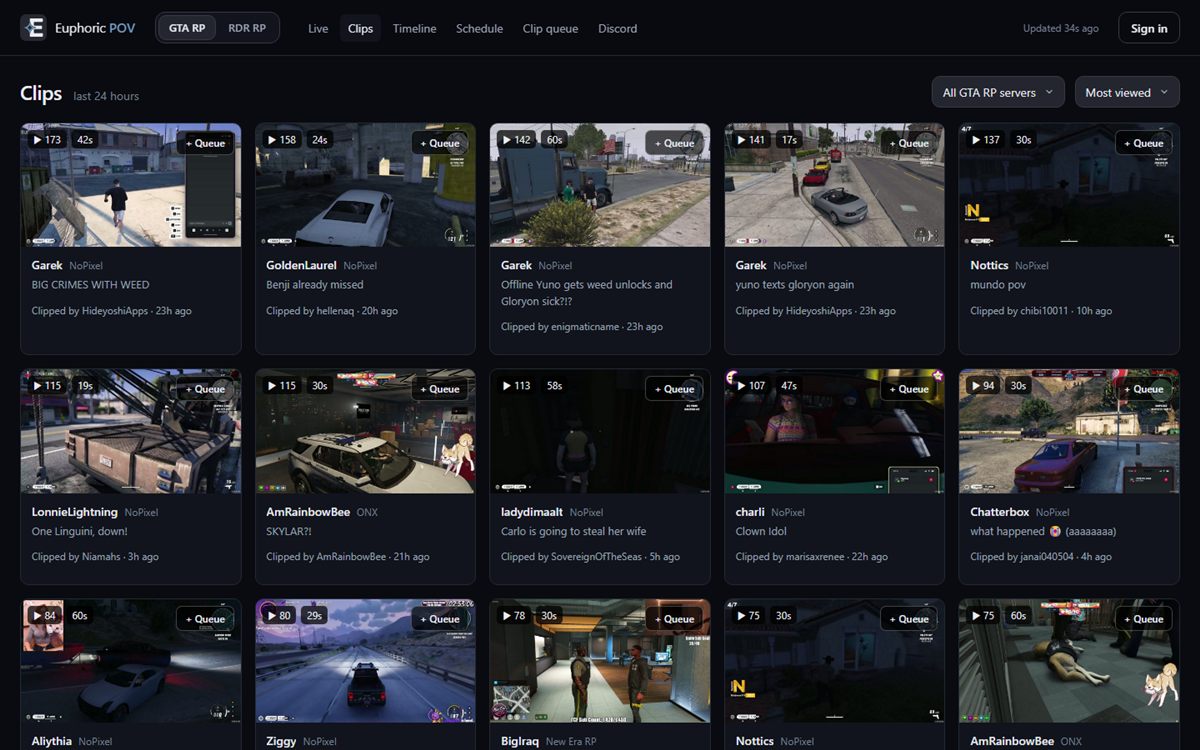
Clips from the last 24 hours. 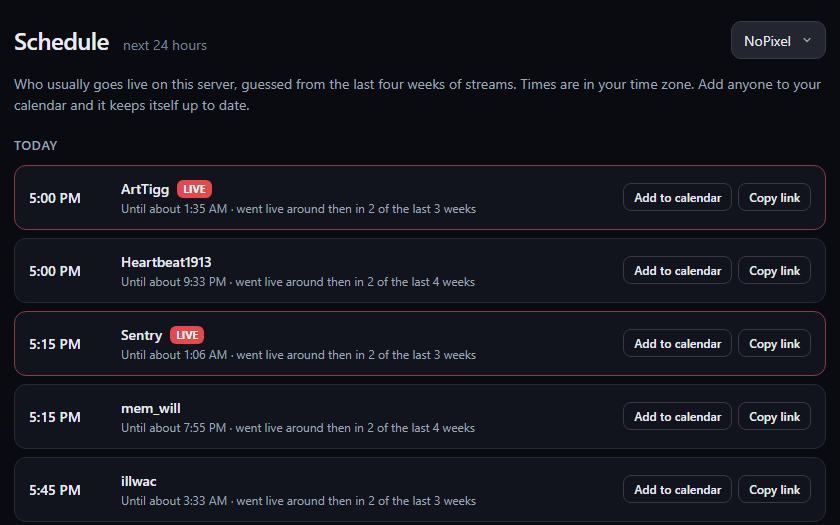
Schedule: who usually goes live next.

Everyone you follow, one click away.
The Euphoric POV browser extension puts your live follows over whatever you're browsing: a floating list from the toolbar icon, or pinned to the side.
- Everyone you follow on Twitch and everyone you've starred on Twitch or Kick, in one list with thumbnails, viewer counts and uptime.
- Offline channels in a grey grid underneath, one click from their channel.
- A live count on the toolbar icon, and a notification when someone goes live. You can turn these off.
- Pick several streams and watch them side by side on pov.euphoric.software.
- Filter by name, game or server.
Works in Chrome, Edge and other Chromium browsers. Sign in once on pov.euphoric.software and the extension uses that sign-in. Not affiliated with Twitch or Kick.
Good to know
- Price
- Free. No ads.
- Account
- Not needed to browse, watch or use the clip queue. Sign in with Twitch or Kick to star streamers and get go-live alerts.
- Where
- In any browser at pov.euphoric.software. Nothing to install.
- Privacy
- It doesn't sell or share your data. Read the privacy policy.
- Affiliation
- A fan-made tool. Not affiliated with Twitch, Kick, Rockstar Games or any RP server.
Questions
What is Euphoric POV?
A free website that lists every GTA RP and RDR RP stream on Twitch and Kick, sorted by RP server. You can watch up to nine streams side by side with chat, rewind any moment across every POV with the VOD timeline, browse the day's top clips, and run a clip queue.
How do I watch several POVs at once?
Press + on any stream card to pick it, then Watch side by side, or open a stream and use + Add stream. Up to nine streams play together. Click a streamer's name to move the sound there, and switch chat between them.
How do I find every POV of a moment?
Open the Timeline, choose a server and click the moment. Watch these POVs opens every VOD that covers it, each started at that point. You can also paste a Twitch VOD link with a timestamp to jump straight to it.
Does it include Kick streams?
Yes. Twitch and Kick streams are listed together, and someone live on both shows as one card.
Is it free? Do I need an account?
It's free and works without an account. Signing in with Twitch or Kick lets you star streamers and get a notification when they go live.
How are streamers sorted into servers?
By the server name in their stream title or tags. If someone is listed under the wrong server, sign in and use Wrong server? on their card, and it gets checked.
Is there a browser extension?
Yes, for Chrome, Edge and other Chromium browsers. Once you're signed in on the site, it shows who you follow that's live from your toolbar or a side panel, alerts you when they go live, and opens several of them side by side.

Watch live RP.
Free, in your browser.