

A little space to think
Notes that connect.
Write in Markdown, link your ideas, and keep going offline. Sync is optional, free and encrypted.
Free 64-bit Windows (x64) Works offline No account needed
Write. Connect. Keep it yours.
Markdown
Read, Write or Visual. Switch any time. Your notes stay plain Markdown.
Linked notes
Link notes with [[double brackets]]. See backlinks and a graph of it all.
Works offline
No account needed. Your notebook lives on your device.
Encrypted sync
Optional and free. Notes are encrypted on your device before they upload.
A look inside.
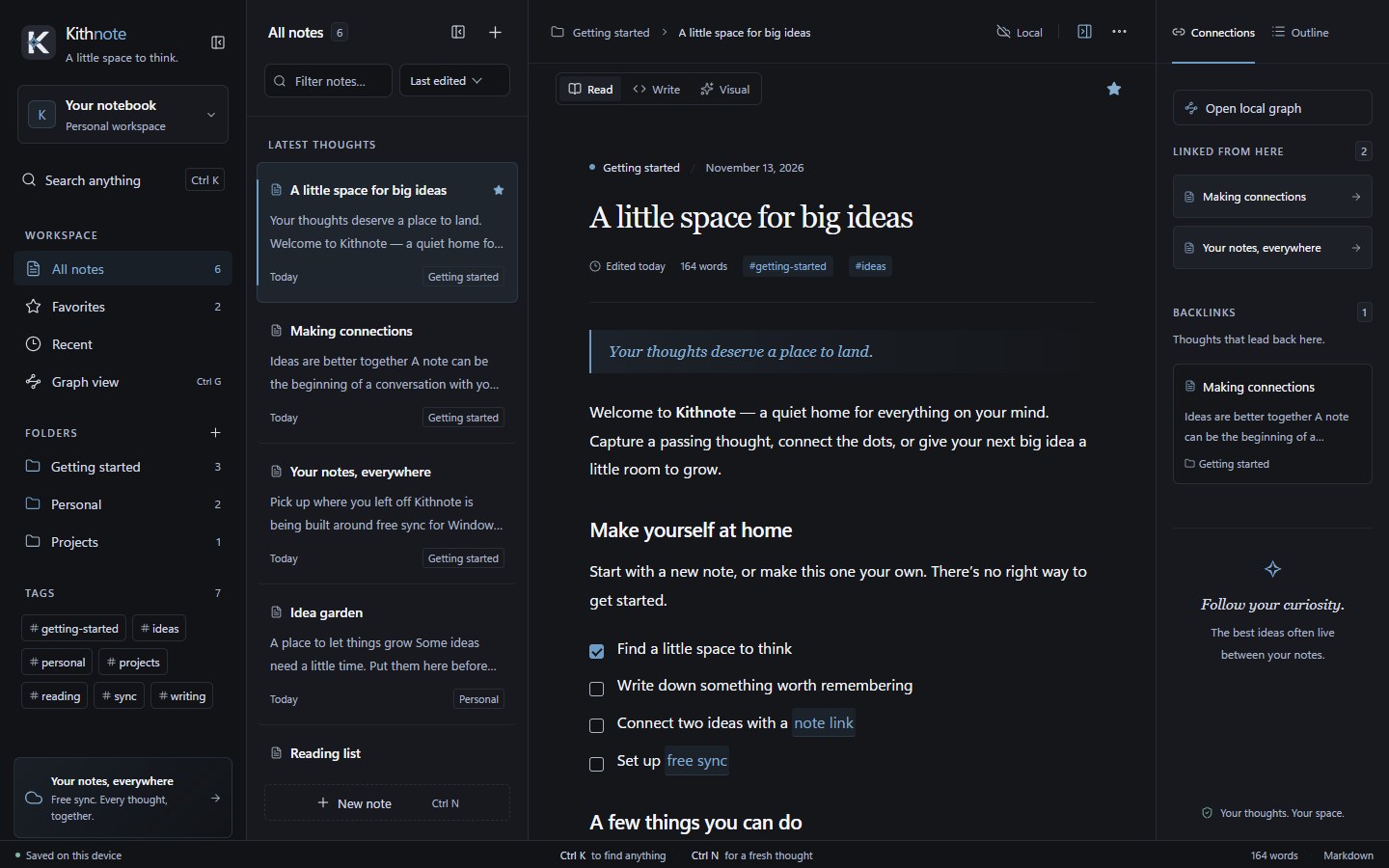
Screenshots of the web app with its built-in sample notes. The Windows app looks the same.
Views
Read
A clean reading view with headings, callouts and checklists. The side panel shows the notes this one links to and the notes that link back.
Write.
Start a note and type. Pick the mode that suits the moment.
- Three modes: Read, Write (Markdown) and Visual.
- Checklists, tables, callouts and code blocks.
- Mermaid diagrams, written as text in the note.
- Import Markdown files, folders, Obsidian vaults and ZIP archives.
- Export everything back out as Markdown.
- Light and dark themes.
Link. See the shape.
Type [[ and a note's name to link to it. Every note shows what points back to it.
- Backlinks list the notes that lead back to this one.
- A graph of your whole notebook, or just the notes around one.
- Links to notes you have not written yet show up too.
- An outline of each note's headings.
Organize.
As much structure as you like, and none if you don't.
- Folders and
#tags. - Favorites, and a Recent list of the last 7 days.
- Search across every note with Ctrl K.
- Trash, so a deleted note can come back.
- An optional password to protect your notebook on this device.
Sync and share.
Both are optional. A local notebook never needs an account.
- Free sync between your devices.
- Notes are encrypted on your device (AES-256-GCM) before they are uploaded.
- Sign in with email and password, Google, Discord or a passkey.
- From the web app, share one note as an encrypted, read-only link. It can expire.
Requirements
- Browser
- Open kithnote.app/notes. No account needed.
- Windows
- 64-bit Windows (x64).
- Signing
- The Windows app is signed by Euphoric Software LLC. SmartScreen may still warn while the publisher is new.
- Limits
- Sync: 5 vaults per account, with up to 10,000 notes and 500 MB each.
- Price
- Free, including sync.
Questions
Do I need an account?
No. A local notebook works without one, in the browser and on Windows, and it works offline. You only need an account to create a sync vault or share a note.
Where are my notes stored?
On your device first. If you turn on sync, an encrypted copy is stored so your other devices can fetch it.
What can the service see?
Note content is encrypted on your device before upload. The service can see your account details, vault and note IDs, how many notes you have, their encrypted sizes, when they change, and IP addresses.
What if I lose my connection kit or vault password?
Neither can be recovered, by you or by us. Lose every copy of the kit and every connected device, and the synced notes cannot be decrypted. Export a backup regularly.
Has it had a security audit?
Not yet. Kithnote has had no independent security audit, so weigh that when you decide what to store.
Can I bring my notes in or out?
Yes. Import Markdown files, folders, Obsidian vaults and ZIP archives, and export everything as Markdown.

A little space to think.
Free for Windows and the web.